

What is Gimkit and Why Everyone’s Talking About It
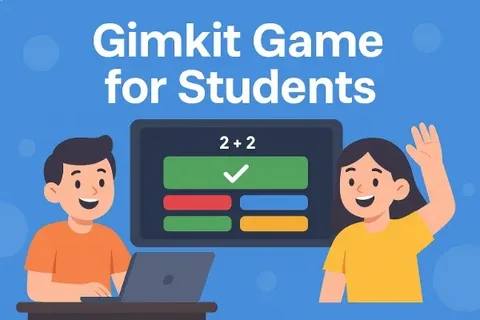
Hey there! Let’s talk about something that’s changing how students learn. Have you heard about Gimkit? It’s this amazing educational game platform that makes studying feel less like work. And trust me, that’s a big deal.
Gimkit is a quiz-based learning tool that students actually enjoy using. It was created by a high school student who wanted to make studying fun. The platform turns regular quizzes into exciting games where students can earn virtual cash. They use this money to buy power-ups and upgrades. Pretty cool, right?
Teachers love it because students stay engaged during lessons. Students love it because learning doesn’t feel boring anymore. Parents appreciate it because their kids are excited about studying. That’s what makes Gimkit special. It brings together learning and gaming in the best possible way.
How Gimkit Actually Works in the Classroom
So how does this whole thing work? Let me break it down for you in simple terms. Teachers create question sets or use pre-made ones from the community. Students join the game using a simple code on their devices. Then the fun begins.
Students answer questions to earn in-game money during each session. The faster they answer correctly, the more cash they earn. But here’s the twist. They can spend their earnings on upgrades that help them progress faster. Some power-ups let you earn more per correct answer. Others protect you from losing money on wrong answers.
The best part is that Gimkit offers different game modes. There’s Classic Mode where everyone competes individually for the highest earnings. Team Mode lets students work together toward a common goal. Trust No One is like a social deduction game mixed with learning. Each mode keeps things fresh and exciting for students.
Why Teachers Are Switching to Gimkit
Teachers are always looking for tools that actually work in classrooms. Gimkit checks all the boxes and then some. First off, it’s incredibly easy to set up and use. You don’t need to be tech-savvy to get started with it.
The platform gives teachers real-time data about student performance. You can see which questions students struggle with instantly. This helps teachers adjust their teaching on the spot. No more waiting until test day to find out what students don’t understand.
Another huge benefit is that Gimkit promotes active recall and repetition. Students see questions multiple times during a game session. This repetition helps move information from short-term to long-term memory. It’s based on solid learning science that actually works.
Teachers also love the customization options available on the platform. You can create questions that match exactly what you’re teaching. The interface is clean and student-friendly without unnecessary distractions. Plus, it works on any device with internet access.
Different Ways to Use Gimkit in Your Teaching
Gimkit isn’t just for one type of lesson or subject. It’s incredibly versatile and adapts to different teaching needs. Let me share some creative ways teachers are using it.
Many teachers use Gimkit for review sessions before big tests. Students practice material in a low-pressure, fun environment. This reduces test anxiety while reinforcing important concepts. The competitive element motivates even reluctant learners to participate actively.
It’s also perfect for introducing new vocabulary in any subject. Language teachers use it for foreign language practice and memorization. Science teachers create question sets about terminology and key concepts. Math teachers build problem-solving challenges that students actually enjoy completing.
Some teachers use Gimkit as a bell-ringer activity to start class. Students log in and play for five to ten minutes. This gets their brains warmed up and ready for learning. It’s way more effective than traditional warm-up worksheets or silence.
Homework becomes more engaging when teachers assign Gimkit practice sessions. Students can play at home and compete with classmates remotely. Parents report that kids actually want to do this homework. That’s a win for everyone involved in the learning process.
Gimkit Game Modes Which One Should You Try
Let me walk you through the different game modes available. Each one offers a unique experience that keeps students interested. Choosing the right mode depends on your learning goals and class dynamics.
Classic Mode is perfect when you’re starting with Gimkit. Students compete individually to earn the most virtual money possible. It’s straightforward and easy for everyone to understand quickly. This mode works great for reviewing material before assessments.
Team Mode encourages collaboration and helps build classroom community. Students work together and can discuss answers with teammates. This promotes peer learning and helps struggling students get support. Teachers love it for group projects or collaborative learning activities.
Trust No One adds a social element that older students particularly enjoy. Some students become “imposters” who can sabotage others’ progress. Everyone else must answer questions while identifying the imposters. It combines critical thinking with content review in unexpected ways.
KitCollab lets students create and submit their own questions. This gives them ownership of the learning process entirely. Creating good questions requires deep understanding of the material. It’s an excellent way to assess comprehension beyond traditional methods.
Getting Started with Gimkit A Simple Guide
Ready to try Gimkit yourself? Getting started is easier than you might think. Let me guide you through the basics step by step.
First, head to the Gimkit website and create a free account. You can sign up using your email or Google account. The free version gives you access to basic features. It’s enough to get a feel for how everything works.
Once you’re in, you’ll see the dashboard where everything happens. Click on “Create Kit” to make your first question set. You can type questions manually or import them from a spreadsheet. Adding images and formatting text is simple and intuitive throughout.
After creating your kit, click “Play Live” to start a game. You’ll get a unique join code to share with students. Students go to gimkit.com/join and enter that code on their devices. They don’t need accounts, which makes joining super quick and easy.
During the game, you can monitor student progress on your screen. Watch who’s answering questions and earning money in real time. You can pause the game if needed or end it early. After the game ends, review the detailed reports about student performance.
Tips to Make Your Gimkit Sessions Even Better
Want to get the most out of Gimkit in your classroom? Here are some practical tips from experienced teachers. These strategies will help maximize engagement and learning outcomes consistently.
Mix up your question types to keep students on their toes. Include multiple choice, true or false, and short answer questions. Variety prevents students from getting bored with the same format. It also assesses knowledge in different ways for better understanding.
Set clear goals before starting each Gimkit session with students. Tell them what you want them to focus on learning. This gives purpose beyond just playing a fun game. Students perform better when they understand the learning objectives clearly.
Use the power-ups strategically in your game settings and rules. Some power-ups encourage risk-taking while others promote careful thinking. Adjusting these settings changes the game dynamics significantly. Experiment to find what works best for your specific students.
Don’t forget to review the results after each game session. Look for questions that stumped most students during gameplay. Use this data to guide your next lesson or review. Gimkit’s analytics make it easy to identify learning gaps quickly.
Gimkit Pricing What You Need to Know
Let’s talk money because budget matters for teachers and schools. Gimkit offers different plans to fit various needs and budgets. Understanding your options helps you make the best choice upfront.
The free plan lets you create unlimited kits and host games. However, you’re limited in how many times you can play monthly. For teachers just starting out, this is a great option. It lets you test Gimkit without spending a single dollar.
Gimkit Pro is the paid individual subscription for serious users. It removes limits on gameplay and unlocks all game modes. You also get access to premium features like detailed analytics. The cost is reasonable considering what you get in return.
Schools can purchase site licenses that cover all teachers and students. This is the most cost-effective option for entire districts or schools. Everyone gets full access without worrying about individual subscriptions. Many schools include it in their educational technology budgets now.
Common Questions Students Ask About Gimkit
Students have lots of questions when they first encounter Gimkit. Let me answer the most common ones I hear all the time. These will help you prepare for your first session with students.
Can students play Gimkit at home? Absolutely, if the teacher assigns it. Students can access assigned kits anytime from any device with internet. This makes it perfect for homework or extra practice sessions. Just make sure students have the join code or assignment link.
What happens if you answer a question wrong during gameplay? You typically lose some of your earned money as a penalty. This encourages students to think carefully before answering questions. But don’t worry, they can always earn it back quickly. The goal is learning, not perfect scores every single time.
Can you play Gimkit on phones and tablets easily? Yes, Gimkit works great on all devices including smartphones. The interface adjusts to fit different screen sizes automatically. Students can play on whatever device they have available at home. This accessibility is one reason teachers love using the platform.
Why Students Actually Love Using Gimkit
Let’s hear from the students themselves about why Gimkit rocks. After all, they’re the ones spending time on the platform. Their perspective matters most when evaluating any educational tool honestly.
Students say Gimkit doesn’t feel like traditional studying at all. The game mechanics make learning competitive and exciting for everyone. They forget they’re actually reviewing important academic content while playing. That’s the magic of good gamification done right in education.
The instant feedback keeps students engaged and motivated throughout sessions. They know immediately if they got something right or wrong. This helps them learn from mistakes quickly without embarrassment or pressure. Students can improve their understanding in real-time during the game.
Many students appreciate the fair playing field Gimkit creates in class. Everyone starts with the same amount of virtual money initially. Success depends on knowledge and strategy, not on advantages or luck. This builds confidence in students who might struggle with traditional assessments.
Gimkit vs Other Learning Platform The Real Difference
You might wonder how Gimkit compares to other educational game platforms. Let me give you an honest comparison based on real classroom experience. This helps you understand what makes Gimkit unique and special.
Compared to Kahoot, Gimkit offers more depth and strategic thinking opportunities. Kahoot focuses on speed, which can stress some students out. Gimkit lets students work at their own pace somewhat. Both are great, but they serve slightly different educational purposes.
Quizlet is excellent for flashcards and individual study sessions outside class. Gimkit shines in live classroom games with competitive elements. You might use both in complementary ways for maximum impact. They each have strengths that benefit students in different situations.
Blooket is similar to Gimkit with its game-based learning approach. The main difference is in the variety of game modes available. Gimkit tends to have more polish and better classroom management features. Try both and see which fits your teaching style better overall.
Success Stories Real Teachers Using Gimkit
Real teachers are seeing incredible results with Gimkit in their classrooms. Let me share some inspiring stories that show its impact. These examples prove that the right tool can transform learning experiences.
A middle school math teacher reported that test scores improved significantly. Students who played Gimkit regularly scored higher on unit assessments consistently. The repetition and engagement helped concepts stick in students’ minds better. Parents even asked what changed because kids enjoyed math homework suddenly.
A language arts teacher uses Gimkit for vocabulary building every week. Students learned twice as many words compared to traditional methods. The competitive element motivated students to study outside of class too. Classroom discussions became richer because everyone knew the vocabulary being discussed.
A science teacher shared that Gimkit helped identify learning gaps early. The analytics showed which concepts students misunderstood before the test. This allowed for targeted review sessions that saved everyone time. Students felt more confident going into assessments because gaps were addressed.
Making Gimkit Work for Different Learning Styles
Every student learns differently, and good teachers know this truth. Gimkit actually accommodates various learning styles pretty well when used thoughtfully. Let me explain how different learners benefit from this platform.
Visual learners appreciate the colorful interface and graphics throughout Gimkit. Teachers can add images to questions for additional visual support. The money and upgrade system provides visual feedback that resonates. These elements help visual learners process and retain information more effectively.
Kinesthetic learners benefit from the interactive nature of the platform. They’re actively clicking, choosing, and engaging rather than passively listening. The movement between answering questions and buying upgrades keeps them engaged. This active participation helps these learners absorb material much better.
Competitive learners thrive in Gimkit’s game-based environment naturally and enthusiastically. They love trying to earn the most money or climb leaderboards. This motivation drives them to study harder outside of class. Teachers can channel this competitive energy into positive academic achievement.
Troubleshooting Common Gimkit Issues
Sometimes technology doesn’t cooperate, and that’s frustrating for everyone involved. Let me help you solve common Gimkit problems quickly and easily. Being prepared prevents these issues from derailing your lesson plans.
If students can’t join the game, first check the join code. Make sure you’re displaying the correct code prominently where everyone can see. Sometimes students misread letters or numbers, causing connection problems. Having them refresh their browser often solves temporary connection issues too.
Slow loading or lag can happen with poor internet connections. Try closing other applications or tabs that might be using bandwidth. If the problem persists, restart the game with fewer power-ups enabled. Sometimes simplifying the game settings reduces the technical load significantly.
If questions aren’t displaying correctly, check your kit for formatting errors. Special characters or extremely long questions sometimes cause display problems. Edit the problematic questions and test them before going live. Preview mode lets you catch these issues before students see them.
The Future of Learning with Gimkit
Education is changing, and tools like Gimkit are leading the transformation. Let’s think about where gamified learning is heading in education. The future looks exciting for both teachers and students everywhere.
Gimkit continues to add new features based on teacher feedback regularly. The developers listen to the education community and respond quickly. This means the platform keeps improving and staying relevant over time. Future updates will likely include even more customization and game modes.
More schools are recognizing the value of gamification in education. Traditional teaching methods alone don’t engage today’s digital-native students effectively. Platforms like Gimkit bridge the gap between education and technology naturally. We’ll likely see increased adoption in classrooms worldwide over coming years.
The success of Gimkit proves that learning can be genuinely enjoyable. Students don’t have to suffer through boring drills and worksheets anymore. When education meets engagement, everyone wins in the long run. This is the future that teachers and students both deserve today.
Final Thoughts Is Gimkit Right for You
So, should you use Gimkit in your classroom or at home? Only you can answer that question for yourself honestly. But I can help you think through the decision more clearly.
If you want students to engage more actively with learning material, try it. If you’re tired of the same old review activities, definitely try it. If you need better data about what students actually understand, absolutely try it. The free version lets you test everything without financial commitment initially.