

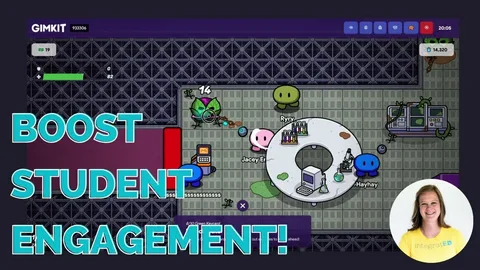
Introduction: What is Gimkit Live Learning Game Show?
Gimkit is a popular online game that combines education and entertainment. It turns learning into a fun and interactive experience for students. The Gimkit Live Learning Game Show takes this a step further, allowing students to participate in a real-time game show format. This dynamic game encourages students to compete and answer questions while learning key concepts. Whether in the classroom or at home, Gimkit keeps students engaged and excited about their lessons.
At its core, Gimkit uses a quiz format that’s similar to other trivia games. However, it adds unique features that set it apart. The game is designed to make learning more enjoyable by giving students the chance to earn points and rewards based on their performance. Teachers can create their own quizzes or use pre-made ones, ensuring the content is both fun and educational. As students answer questions, they earn virtual money, which can be spent on upgrades to improve their in-game experience.
For more about how to get started with Gimkit, check out this guide on Gimkit fun learning games.
How Does Gimkit Live Learning Game Show Work?
The Gimkit Live Learning Game Show is designed to be played in a group setting, making it perfect for classrooms or study groups. Here’s how it works:
-
Teacher Sets Up the Game: The teacher creates a game using a set of questions or chooses a pre-made quiz. The questions can be related to any subject, such as math, history, science, or geography. The teacher can even customize the quiz to meet specific learning goals.
-
Students Join the Game: Each student joins the game by entering a special code. They can play on their own devices, whether it’s a computer, tablet, or smartphone. Students are then placed in a virtual “game show” environment where they can compete individually or in teams.
-
Answering Questions: The game shows questions one by one, and students must answer them as quickly and accurately as possible. Each correct answer earns them virtual money. If they get a question wrong, they don’t lose money, but they don’t earn any either.
-
Earning Money and Power-ups: The virtual money earned can be used to buy upgrades or power-ups in the game. These upgrades can help students answer questions more effectively or give them an edge in the competition.
-
Game Show Features: As the game progresses, students can see their progress compared to others. The competitive aspect adds excitement, as they can compete to see who gets the most correct answers.
By combining learning with competition, the Gimkit Live Learning Game Show keeps students engaged and motivated throughout the lesson.
For a deeper dive into how to play and set up Gimkit games, visit our guide on Gimkit fun learning games.
Why is Gimkit So Popular Among Students?
Gimkit stands out from other educational tools for several reasons. One of the main reasons students love it is because it makes learning fun and competitive. Here are a few key reasons why it’s so popular:
-
Engaging and Interactive: Unlike traditional classroom methods, Gimkit uses a game show format to engage students. This creates an environment where students are more excited about learning, as they are constantly competing and interacting with their peers.
-
Customization Options: Teachers can customize quizzes to match their curriculum, allowing students to learn at their own pace. This flexibility ensures that the game stays relevant to what the students are studying.
-
Virtual Rewards: Earning virtual money and upgrading in the game motivates students to keep answering questions correctly. These rewards help students stay focused and encourage them to do their best.
-
Learning and Fun Combined: Gimkit strikes a perfect balance between learning and fun. It encourages critical thinking and quick recall, while still making the experience enjoyable. The competitive aspect adds an extra layer of excitement.
-
Accessible on Any Device: Whether students are at home or in the classroom, they can access Gimkit on any device. This flexibility makes it easy for students to play and learn anywhere.
If you’re looking for more information on using Gimkit in your classroom or as a fun learning tool, check out our full guide on Gimkit fun learning games.
Gimkit Features That Enhance the Learning Experience
Gimkit isn’t just a quiz game; it has features that enhance the overall learning experience. Here are some of the best features:
-
Live Play Mode: This feature allows students to play in real-time, making it a truly interactive experience. The live aspect keeps students engaged, and they can see their progress compared to others during the game.
-
Power-ups: Students can earn power-ups that help them during the game. For example, they might get a “double points” boost or a “skip a question” option. These power-ups keep things interesting and add a layer of strategy to the game.
-
Game Variety: Gimkit offers different types of games, including solo play, team play, and the live learning game show mode. This variety ensures that the game remains fresh and exciting.
-
Leaderboard: A live leaderboard shows how each student is doing compared to their classmates. This adds a competitive element and encourages students to keep playing to climb to the top.
-
Question Customization: Teachers can create custom questions or choose from a library of pre-made quizzes. This ensures that the content is tailored to the lesson, making the game an effective learning tool.
By incorporating these features, Gimkit ensures that students remain motivated and focused while having fun.
For more on how to use these features, don’t forget to visit our guide on Gimkit fun learning games.
How to Set Up a Gimkit Live Learning Game Show
Setting up a Gimkit Live Learning Game Show is easy and quick. Follow these simple steps:
-
Create an Account: Teachers need to create a Gimkit account if they don’t have one already. This is free and takes only a few minutes.
-
Set Up the Game: Once the account is set up, the teacher can create a new game. They can either create custom questions or select a pre-made quiz from the library. The questions can be related to any subject, and teachers can adjust the difficulty level to match their students.
-
Choose the Game Type: For a live learning game show, select the “Live Play” mode. This allows students to compete against each other in real-time.
-
Share the Game Code: After setting up the game, the teacher will receive a unique code. Students enter this code on their devices to join the game.
-
Start the Game: Once everyone is ready, the teacher can start the game. Students will answer questions, earn points, and compete on the leaderboard.
-
Track Progress: Throughout the game, the teacher can track the students’ progress, see which questions are the most challenging, and even adjust the game on the fly if necessary.
With these easy steps, any teacher can set up a fun and engaging Gimkit Live Learning Game Show for their class.
FAQs
1. What age group is best for Gimkit?
Gimkit is suitable for students of all ages. However, it’s most popular among middle school and high school students due to its competitive nature and engaging format.
2. Can Gimkit be played solo?
Yes, Gimkit can be played solo in a self-paced mode. However, the live game show mode is more fun when played with others.
3. Is there a cost to using Gimkit?
Gimkit is free to use for basic features. There are also premium versions available with more features and customization options.
4. Can teachers track student progress in Gimkit?
Yes, teachers can track student performance through the live leaderboard and access detailed reports on their progress.
5. How can I create my own quiz on Gimkit?
Teachers can easily create custom quizzes by selecting questions and adjusting the difficulty level to suit their students.
6. Does Gimkit support team play?
Yes, Gimkit offers team play, allowing students to compete together in groups.
7. Can students use Gimkit at home?
Yes, students can access Gimkit from home on any device with internet access.
8. How does the leaderboard work?
The leaderboard shows the top performers in real-time. Students earn points for answering questions correctly, and the leaderboard updates automatically.
Conclusion
Gimkit Live Learning Game Show is a fantastic tool for making learning fun and interactive. With its unique features, customization options, and competitive elements, it’s no wonder that so many students and teachers love it. Whether you’re a teacher looking for an exciting way to engage your students or a student who wants to learn while having fun, Gimkit has something to offer. For more information on how to use Gimkit, visit our full guide on Gimkit fun learning games.