

Are you ready to make your learning experience more exciting and interactive? Well today we’re diving into how to use Gimkit a tool that’s revolutionizing the way students and teachers engage with educational content. If you haven’t heard of it yet don’t worry! We’re going to break everything down for you in the simplest way possible just like a friend would explain it.
What is Gimkit?
Before jumping into the how-to’s let’s first understand what Gimkit is. Think of it as an online quiz game but with a twist! It’s a platform that lets teachers create interactive quizzes and students can join in and answer questions in real-time. It’s not just about answering questions — it’s about competing earning points and even leveling up! Perfect for making learning a bit more like play.
Whether you’re in a classroom or studying from home Gimkit makes learning feel like an adventure. So how exactly can you use it? Let’s get to that.
Getting Started: Setting Up Your Gimkit Account
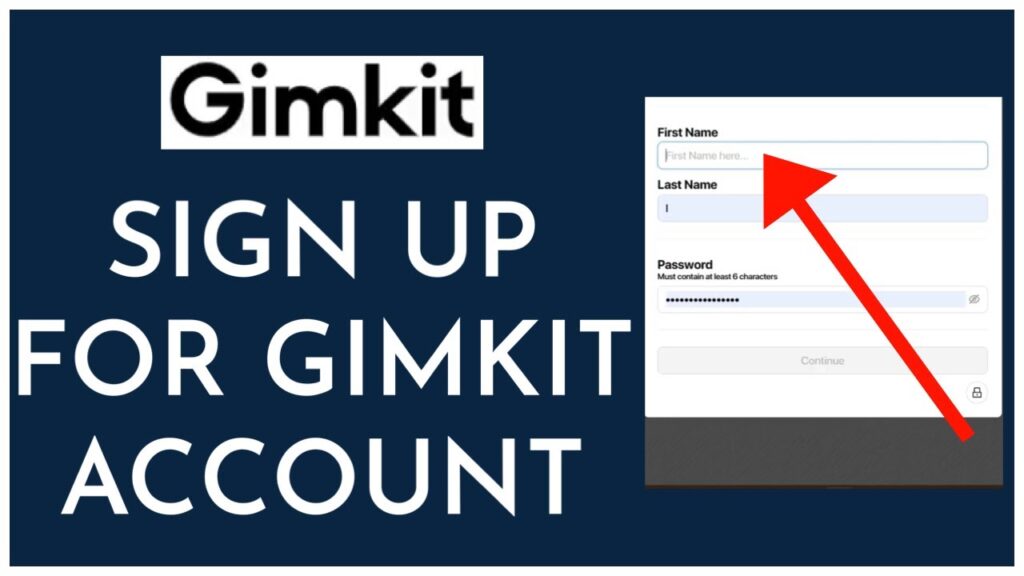
First things first if you don’t have a Gimkit account yet you’ll need to sign up. Don’t worry; it’s super easy! Here’s how to do it:
- Go to the Gimkit website.
- Click on the “Sign Up” button. You can sign up as a teacher student or even a parent.
- Fill in your details and boom you’re ready to start.
If you’re a teacher you’ll be able to create games and quizzes for your class. If you’re a student you’ll simply need the game code from your teacher to join in.
It’s as simple as that! No need for any complicated setup you’ll be playing and learning in no time!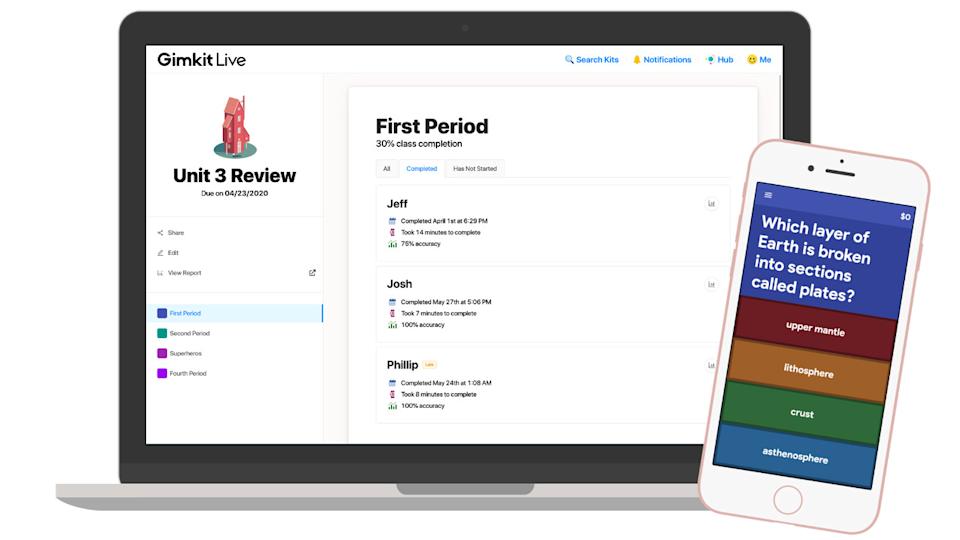
How to Use Gimkit: A Step-by-Step Guide
Once you’ve got your account set up let’s explore how to use Gimkit. Ready? Let’s go!
1. Joining a Game
If you’re a student this part is for you. To join a game:
- Ask your teacher for the game code.
- Head to the “Join a Game” page on the Gimkit website.
- Enter the game code type in your name (or nickname) and hit ‘Join Game’.
And just like that you’re in! You’re now ready to take on the quiz and start earning points.
2. Playing the Game
Playing a game on Gimkit is fun and engaging. The game usually consists of multiple-choice questions but the fun twist is that you can earn points by answering correctly. You can also use those points to purchase “power-ups” to help you out.
The best part? You can compete against your classmates in real-time. The timer is ticking and every question counts. It’s like being in a live game show and the more you know the more points you earn!
3. Teacher’s Role: Creating and Managing Games
Teachers here’s where you come in. You can create quizzes for your students that are personalized engaging and fun. All you need to do is:
- Log in to your Gimkit teacher account.
- Select “Create a New Game”.
- Choose your preferred format (like multiple-choice or fill-in-the-blank).
- Add questions that fit your lesson plan. You can make it as easy or challenging as you like.
Once you’ve created your quiz you’ll get a game code to share with your students. It’s that simple!
4. Power-ups and Points
As a student you can use your points to buy power-ups. These are special boosts that can give you an edge in the game. For example you can use a “Double Points” boost or a “Shield” that keeps you safe from getting a wrong answer.
These power-ups add another layer of strategy to the game making it more exciting and motivating students to keep playing and learning.
Benefits of Using Gimkit in the Classroom
You might be wondering why is Gimkit such a great tool for both students and teachers? Well here’s the scoop:
- Interactive Learning: Students are more likely to stay engaged with fun interactive quizzes than with traditional tests. Gimkit makes learning feel like a game.
- Instant Feedback: Students get immediate feedback so they know if they answered correctly or not. This instant feedback helps them learn faster.
- Teamwork and Competition: Gimkit also allows for group play where students can work in teams adding a social and collaborative element to learning.
- Customizable: Teachers can tailor quizzes to fit their curriculum making it relevant to what students are learning in class.
How to Maximize Your Learning with Gimkit
So you’ve played a few rounds of Gimkit and now you’re ready to take your game to the next level. Here are some tips to make the most of it:
1. Review the Material Before the Game
Before jumping into a Gimkit session try reviewing the material you’re going to be quizzed on. It’ll give you a good head start when you start earning points!
2. Focus on Accuracy
While it’s tempting to just answer as quickly as possible focusing on accuracy can help you earn more points in the long run. Take your time read the questions carefully and you’ll come out ahead.
3. Team Up with Friends
Gimkit isn’t just for solo play. You can team up with classmates for group play and learn together. It’s a fun way to collaborate while also engaging in some healthy competition!
Wrapping Up: Is Gimkit Right for You?
By now you should have a good understanding of how to use Gimkit and why it’s such an awesome learning tool. Whether you’re a teacher looking for a fun way to engage your students or a student wanting to test your knowledge Gimkit has something for everyone.With its interactive format real-time competition and customizable quizzes it’s no wonder that Gimkit is gaining popularity in classrooms around the world. So why not give it a try? You just might find yourself having fun while learning something new!